
Recipes from Instagram.
Finally in your cookbook.
Paste a link. Keep ingredients and instructions together. Turn your saved posts into a recipe collection you can cook from.
Import from supported, publicly accessible sources.
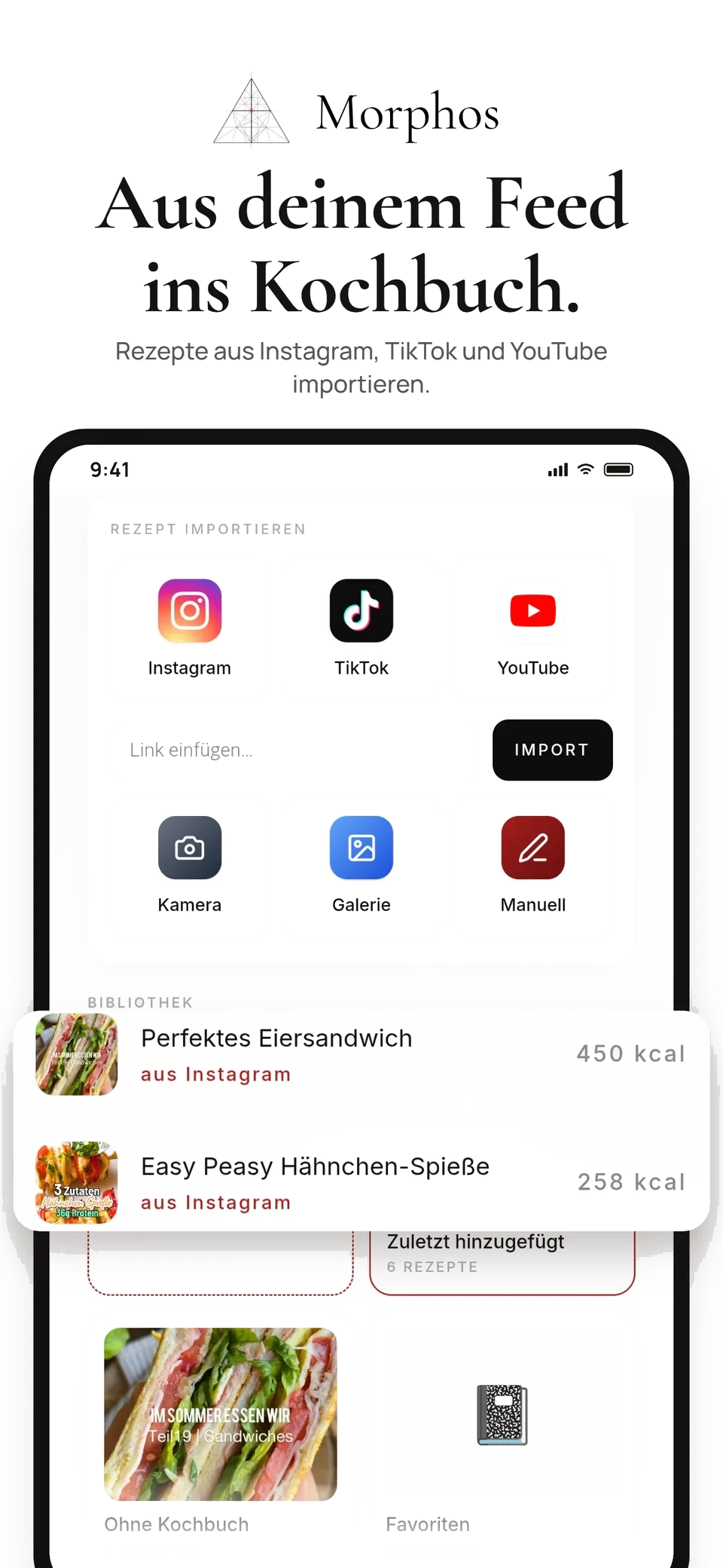
Want to cook that?
Here’s how to keep it.
The link is just the start. Morphos keeps ingredients and instructions with your recipe, instead of scattered across captions and saved posts.
Copy the recipe link
Open a public recipe post on Instagram, TikTok or YouTube and copy its link.
Import it into Morphos
Paste the link into the recipe area and start importing. Morphos extracts the available recipe information.
Review and cook
Check the ingredients, amounts and instructions. Edit any missing or incorrect details in the recipe.
Found it today.
Cook it tomorrow.
Add your recipe to the weekly meal plan and its ingredients to your shopping list. When it’s time to cook, follow the instructions one step at a time.
The cooking view shows the current step and its ingredients, so you can focus on preparing your meal.
Get started with Morphos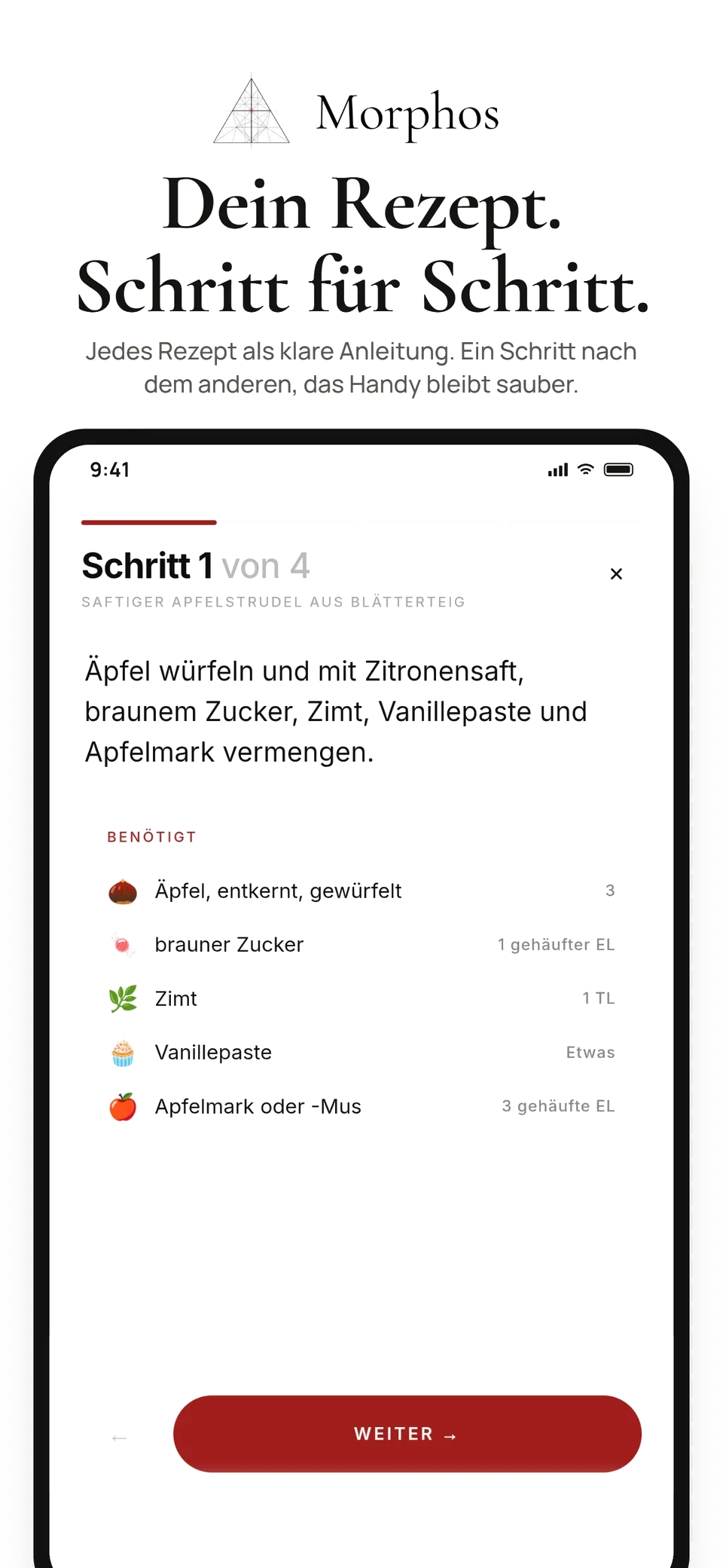
How do I save a recipe from Instagram?
Copy the link to the public post. Open the recipe area in Morphos, paste the link and start the import. Then check the ingredients, amounts and instructions. The post needs to be accessible and contain usable recipe information.
Does this also work with TikTok and YouTube?
Morphos also supports accessible recipe links from TikTok and YouTube. Some links cannot be read: private posts, removed content or missing ingredients can prevent an import. You can also add a recipe manually.
Can I edit ingredients and servings?
Yes. You can edit ingredients, instructions and servings in a saved recipe. Check the imported details before cooking, as imports can contain errors.
What happens after I save a recipe?
Your recipe stays in your collection. From there, plan meals, add ingredients to your shopping list and open the step-by-step cooking view.
Can I use Morphos yet?
Select “Get started with Morphos” to set up your profile. Visit the pricing page for plans and features; the terms shown when selecting a subscription apply.
Make more of
your recipes.
Collect your recipes and bring them into your everyday meals.